
Yard Management System
The QTIR yard management system enables you to efficiently manage vehicle movement on your premises. This gives you an accurate and constantly updated overview of where each vehicle is located and its current status. Quickly directing vehicles to their check-in positions and simplifying communication with drivers will result in expected time and cost savings immediately after the system goes live.
This is not a one-size-fits-all solution. Before the system is implemented in your company, your entire operation is analyzed. The system is then customized to meet your needs and expectations.
QTIR is integrated with SAP, ABRA, NAVISION, and other systems. Thanks to this integration, we receive shipment data directly into our system without having to re-enter it manually.
The system records all relevant data throughout the entire check-in process, from timestamps to various checklists. This data serves as a basis for process optimization.
Registration
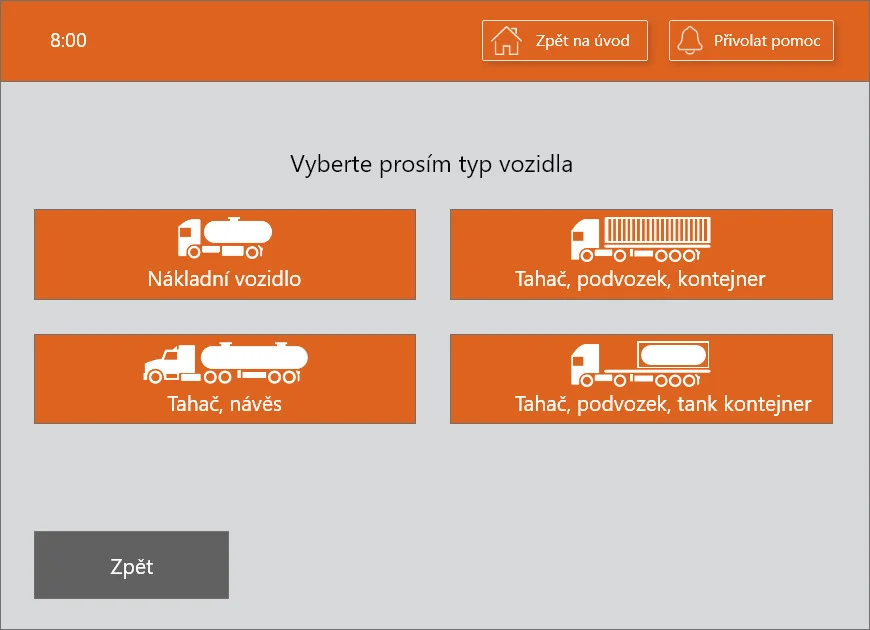
The first—and one of the most important—elements of any yard management system is registration, which provides us with accurate information about the shipment and confirms that it has arrived on the premises and is ready for processing (loading or unloading).
During registration, basic information about the shipment—specifically regarding the cargo, vehicle, and driver—is typically collected. This usually includes details such as the shipment ID (transport ID, shipment number), order number, the type of handling (loading/unloading), the license plate number of the tractor unit or trailer, and, last but not least, the driver’s name and phone number, as well as any other optional details that are relevant for the specific type of shipment.
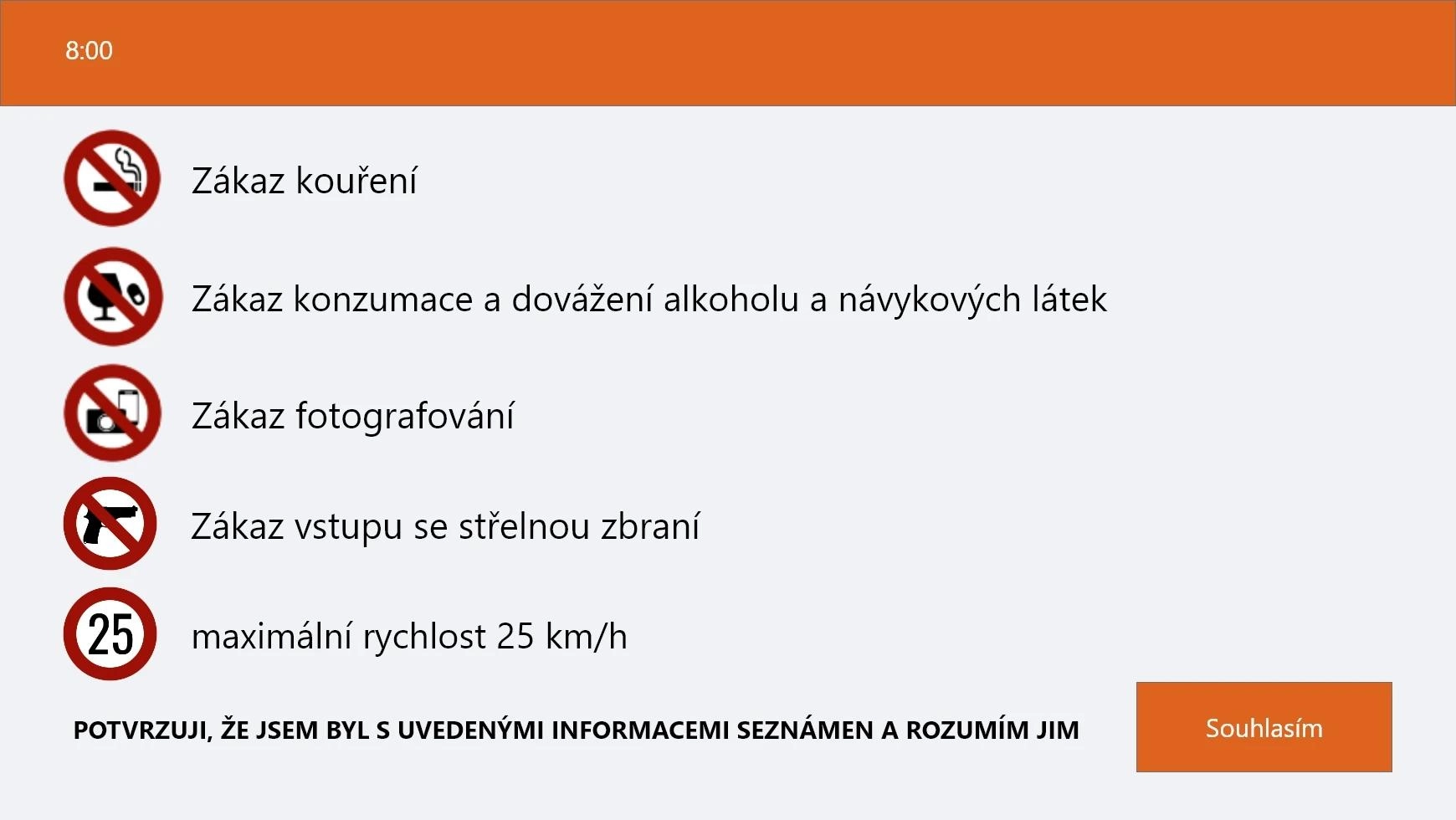
The registration process also typically includes briefing—and, if necessary, training—the driver on occupational safety and health (OSH) and compliance with rules within the premises.
Additional registration features may include, for example, document scanning, driver identification via ID, and printing of single-use access cards…
The registration process itself can be completed using the methods listed below.
Self-service kiosk: A highly intuitive interface available in up to 16 languages provides drivers with an easy and fast way to register in the system. This also reduces staff contact with drivers, saving time and personnel costs.
Automatic Registration Based on License Plate Recognition: For selected types of shipments and verified carriers, automatic registration can take place based solely on the recognition of the vehicle’s license plate, provided there is a confirmed shipment reservation. All necessary registration data is retrieved from time slot management. Due to the speed of this registration process, this method is particularly popular for transporting materials between facilities or for the system operator’s own vehicles.
Reception / Gatehouse: If it is necessary to contact the driver before registration—for example, to conduct vehicle or driver inspections, or to grant access to secure areas—a staff member can perform the registration using a PC or tablet.
Mobile App: Last but not least, there is also a mobile app for drivers, which allows them to complete registration without leaving their vehicle; this is particularly useful in cases where the same drivers make very frequent, repeated visits to the premises.
Check-in
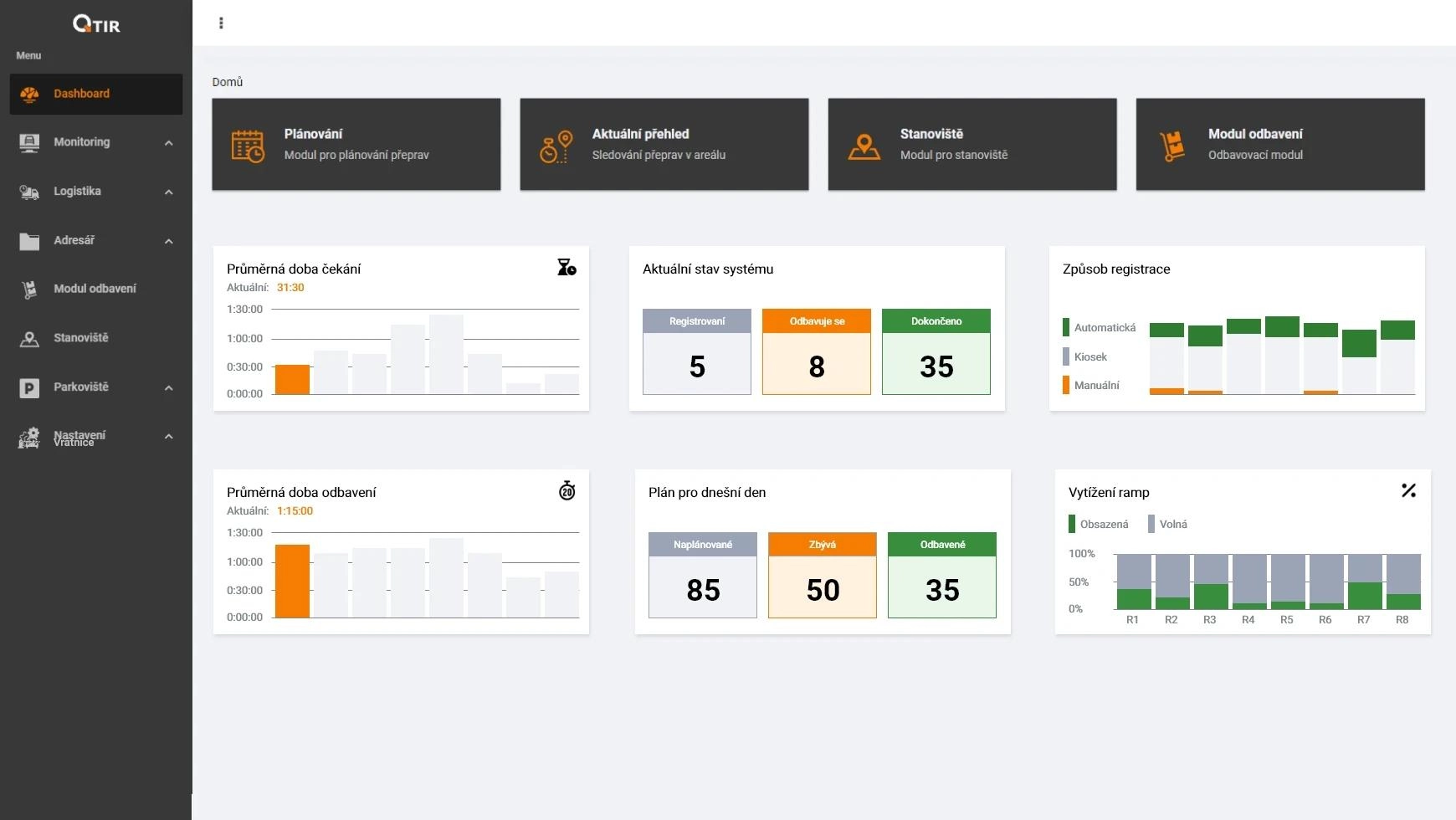
As soon as a shipment is registered, it immediately appears in the QTIR system—in the dispatch module, the logistics module, and on the overview screens—and its status is continuously updated online from that point on.
This means that all employees—from logistics staff to warehouse workers—always have an up-to-date overview of all vehicles ready for dispatch, complete with all necessary information.
The QTIR system allows shipments to be called up by both logistics staff in the dispatch center and individual handlers at specific check-in stations, loading docks, and other locations… It thus adapts precisely to the requirements of a specific operation.
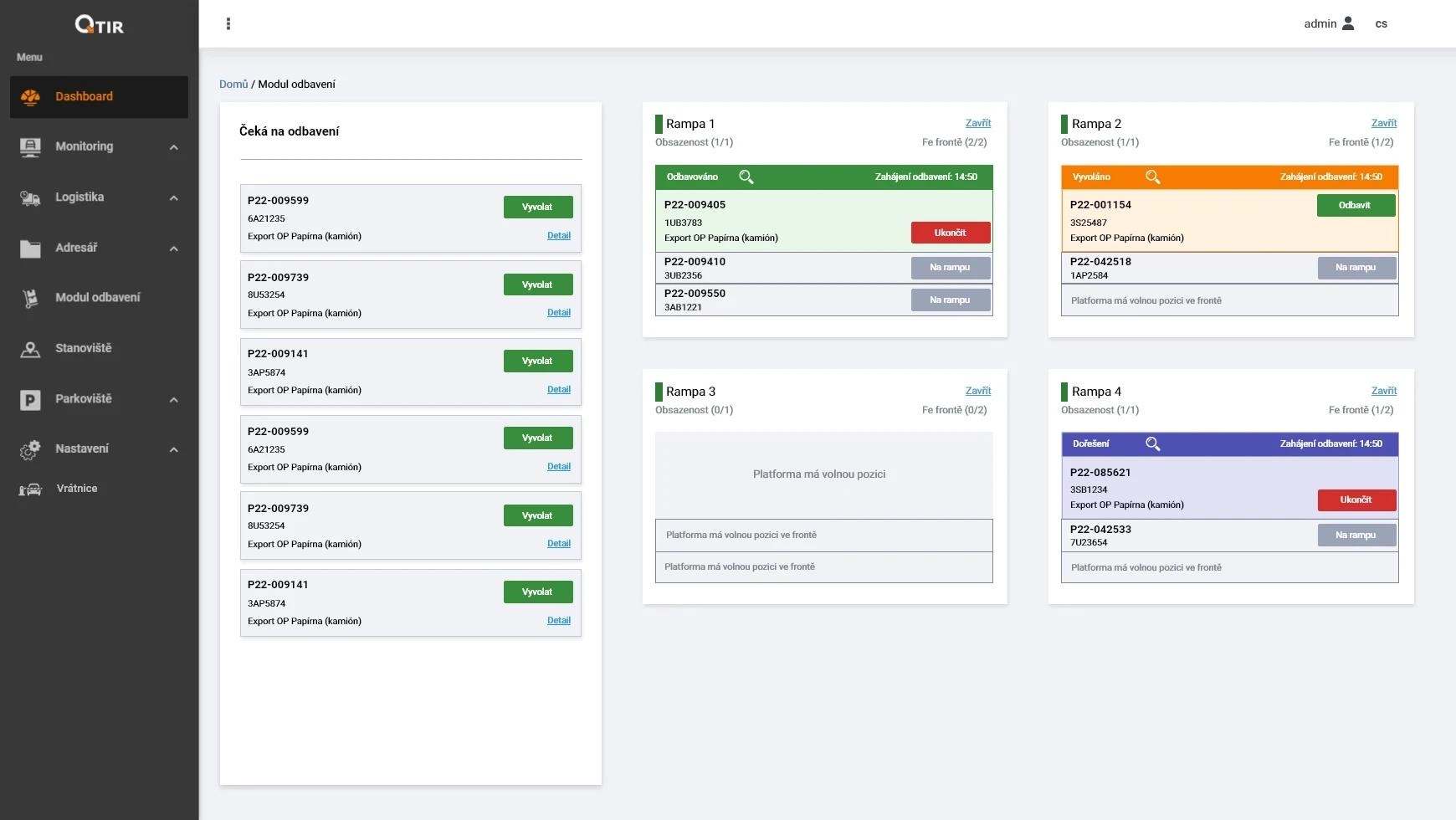
When a vehicle is called to a selected check-in position, this information and additional instructions are sent to the driver via text message to the phone number provided during registration, or through the driver’s mobile app. This information is also displayed on large-screen call-up and navigation displays located, for example, at the holding lot or the entrance to the facility… In addition to contacting the driver, the system also grants permission for the vehicle to enter the facility and enables further processing as part of the actual handling (loading/unloading).
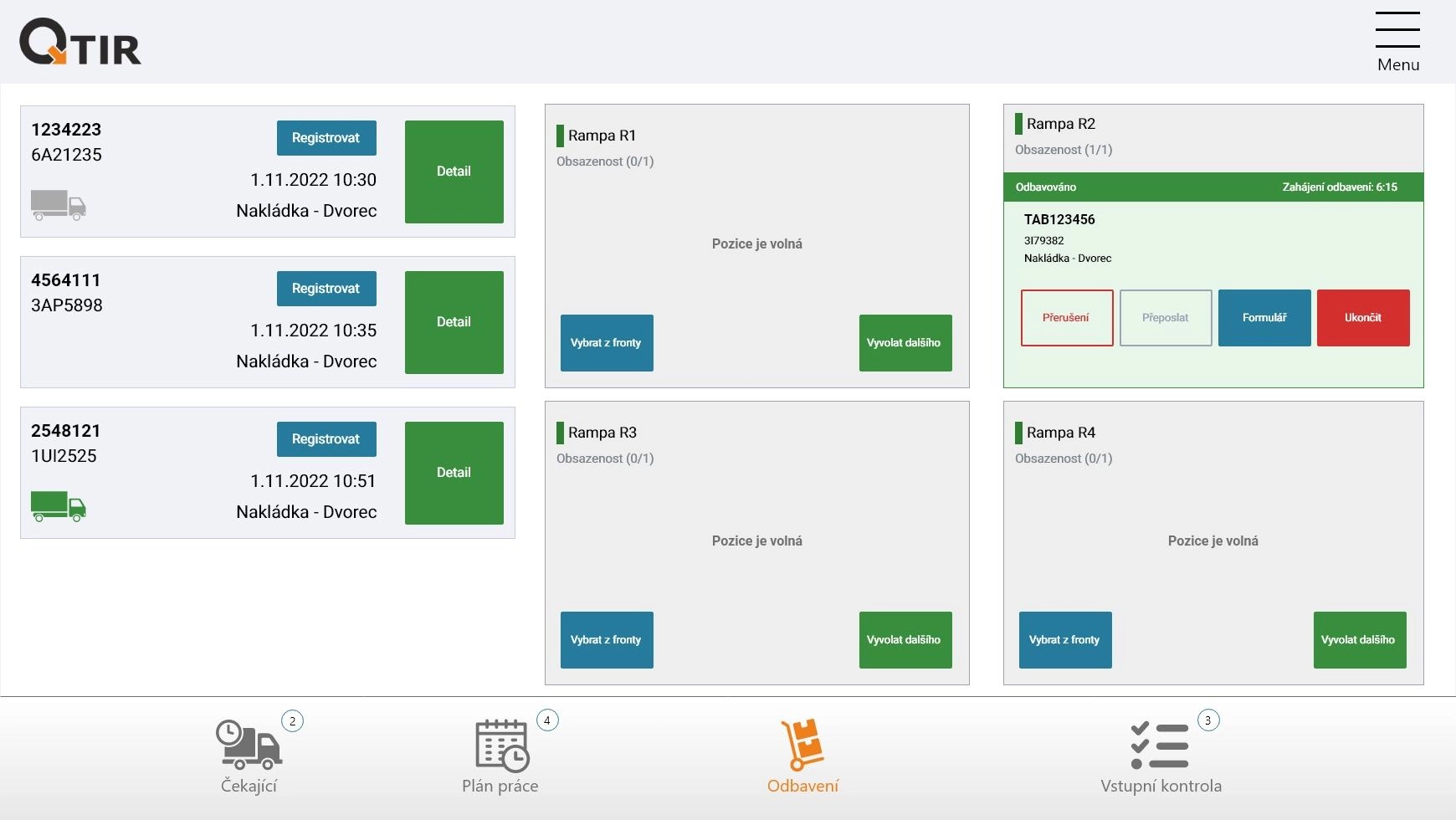
During check-in, we track the exact start and end times of handling operations, allow the handler to enter additional shipping information, and take photos of the cargo and its securing…
Check-in can be performed using a variety of devices, ranging from a standard work computer to a touchscreen kiosk—which allows users to log in with an employee ID card, for example—to the very popular mobile devices such as smartphones and tablets.
These mobile devices can also be integrated into forklifts, allowing the operator to complete all tasks directly from the forklift without wasting time moving around the warehouse to a PC or similar workstation. Mobile devices also make it very easy to take photos for documentation or fill out various inspection checklists and similar tasks.
Entry and Exit from the Premises and Inspections
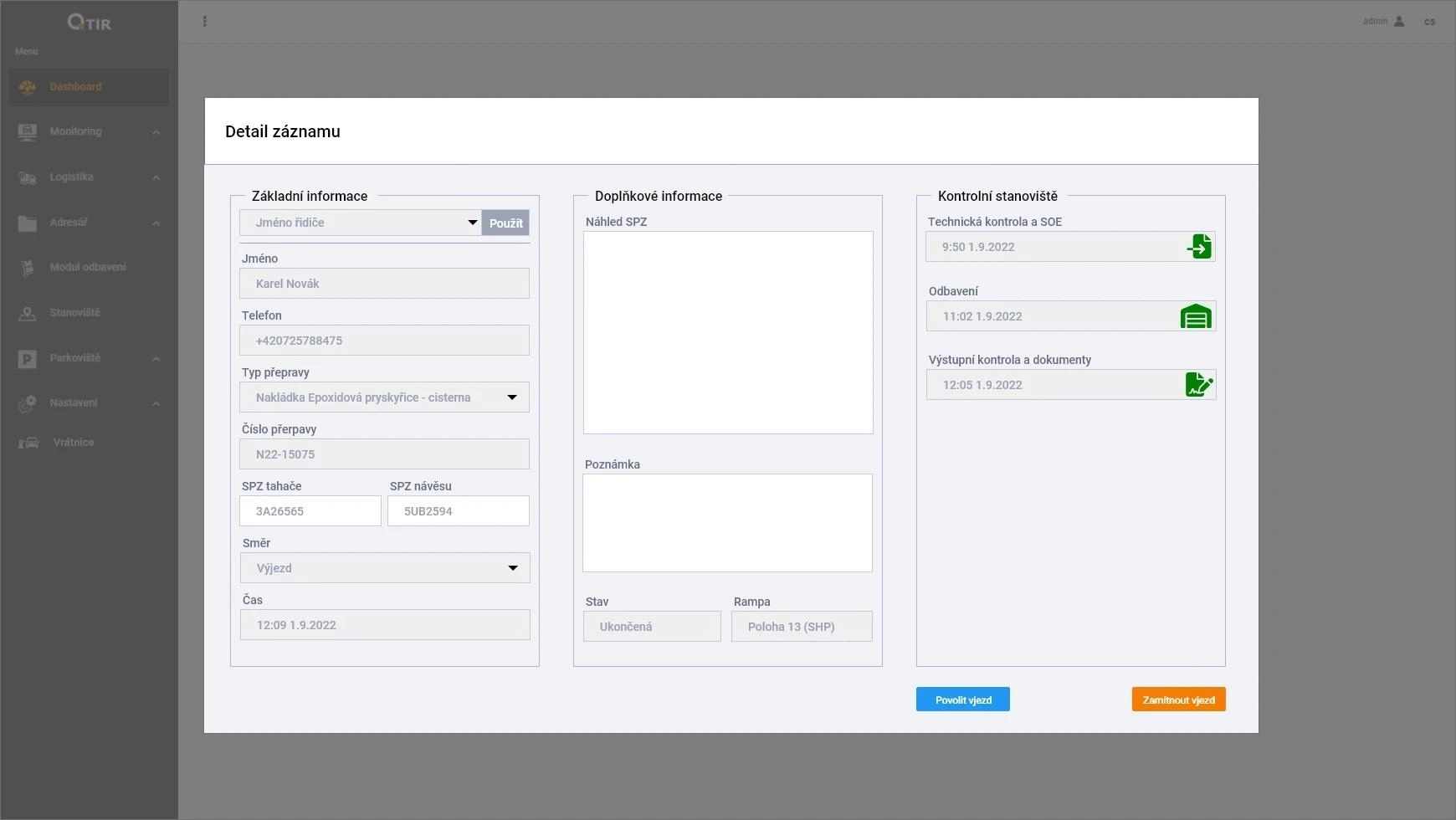
From the perspective of a yard management system, it is, of course, also very important to manage entry and exit from the facility. Entry and exit gates are integrated into the check-in process based on the specific layout of the facility—for example, whether it has an outdoor parking lot and vehicles are admitted to the facility only after being called in for check-in, or, conversely, whether all vehicles must be admitted to the site’s holding lot as quickly as possible upon arrival to prevent traffic congestion on public roads and similar issues.
Depending on requirements, gatehouses are equipped with various hardware; typical examples include, of course, barriers, traffic lights, and cameras with license plate recognition, as well as surveillance cameras, but they may also include RFID readers, QR/barcode readers, navigation displays, and scales…
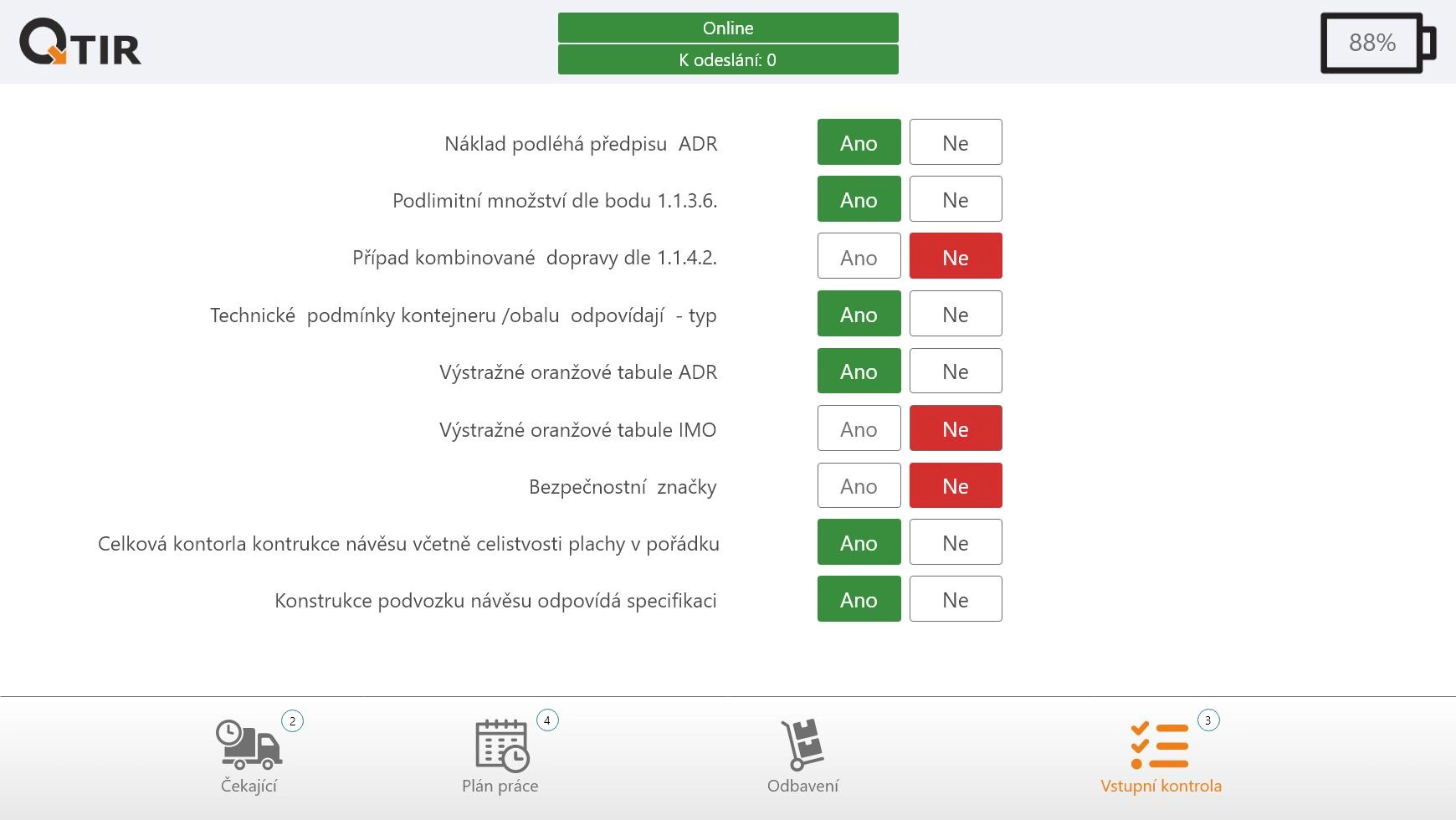
We also frequently handle various security checklists at security checkpoints, where security personnel check the driver and vehicle according to specific items and record the inspection process on a mobile device.
Different entry and exit rules may then be required for each type of transport. For example, supply vehicles may enter using an RFID card and will be weighed after each entry, while shipping vehicles will enter based solely on their license plate number and will undergo a security checklist.
In addition to registered vehicles, the QTIR system also handles other vehicle categories, such as employee and staff vehicles, visitor vehicles, service vehicles, and municipal vehicles… For each category, entry and exit rules can be configured, such as regular or random checks…
Monitoring, report
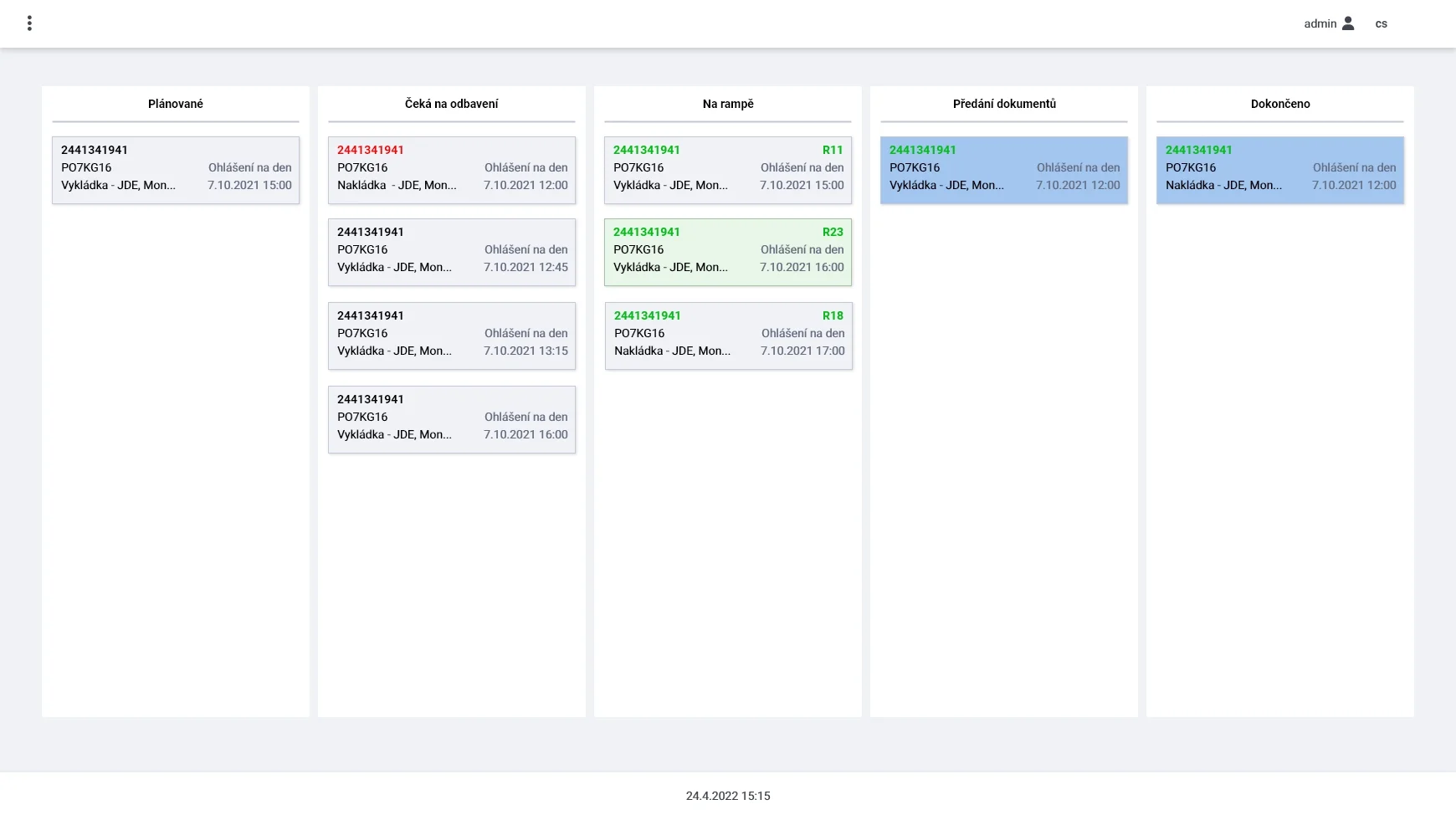
The yard management system provides a constantly updated overview of all shipments being processed, including their status, location, how long individual tasks have been in progress, and a wealth of other important information necessary for monitoring and managing loading and unloading operations. This information is available to all employees who use the system; in addition, so-called overview screens—located, for example, in dispatch centers, warehouses, or directly in the offices of cargo handlers—are also very popular.
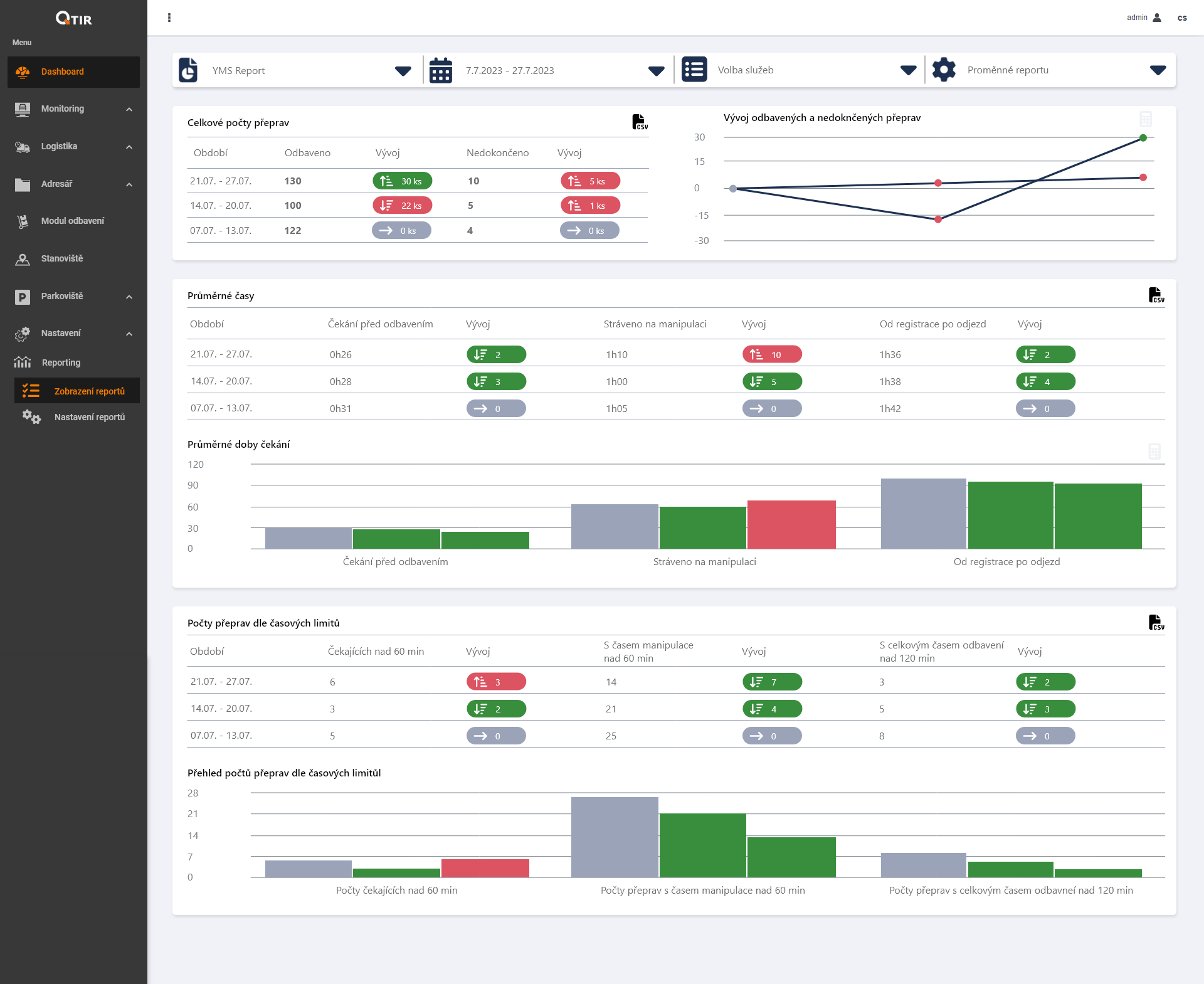
Access to accurate historical data is essential for evaluating and optimizing operations. Our reporting module provides this by quickly and clearly presenting the most important data on the check-in process, while also showing the trend for each value compared to the previous period. These reports are available to users directly within the QTir application, but it is also possible to set up regular email delivery of reports—for example, to managers who do not normally work with the system but need this data.