
Portable client
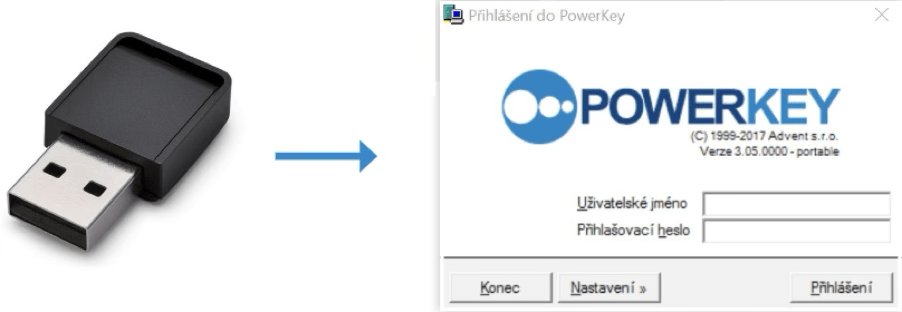
Key Benefits:
- Quick deployment across multiple computers.
- Convenient updates for all users.
- Centralized management of settings via a shared configuration file.
- The portable client is a version of PowerKey that does not require installation.
- It can be run from a network drive, USB flash drive, or other portable media.
- Easy to update by replacing a single file (shared by all users on a network drive).
- Compatible with computers running Windows.
- Works just like the standard client for everyday tasks.
- Suitable for managers, supervisors, and HR professionals.
- The standard installation will remain on a minimal number of computers where the portable client is not suitable (e.g., a communication server).
Web Terminal
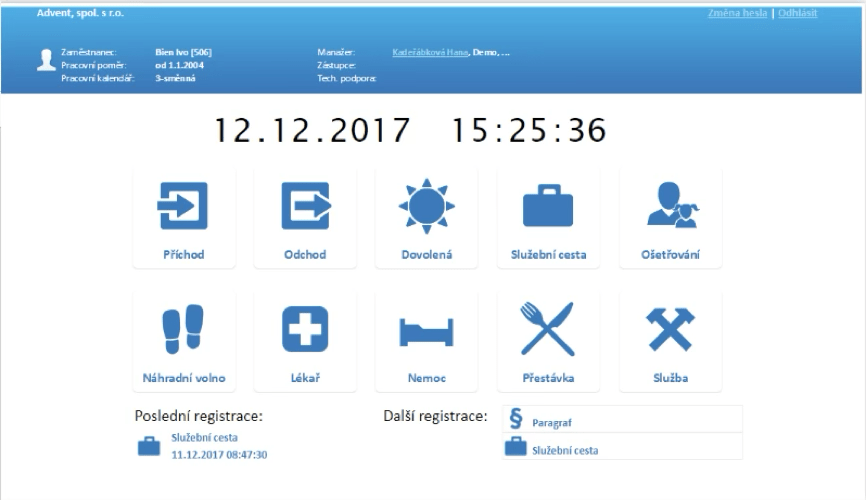
- A web terminal is a web application that replaces a traditional hardware terminal.
- Suitable for office environments and remote workstations with access to the corporate network.
- Log in using a standard web browser.
Key Benefits:
- Easy access via a web browser.
- Platform independence (PC, Mac, smartphone, etc.).
- Login using a personal ID number or Active Directory.
- Low acquisition and operating costs.
- Ability to define over 100 different registrations.
- Can operate independently or in conjunction with other time-and-attendance hardware in the company.
Personal Web Interface
Main Features:
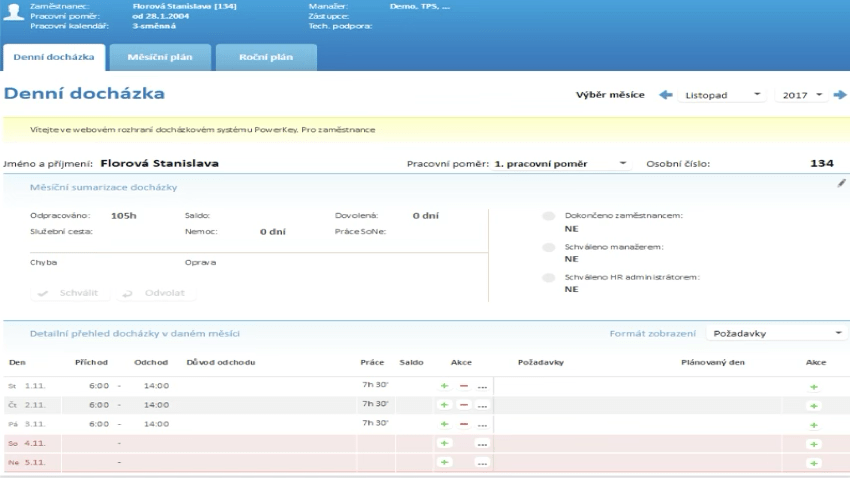
- Verification and correction of attendance records, creation of reimbursement requests, and order modifications.
- Viewing registrations, errors, hours worked, bonuses, and reimbursements.
- Functions dependent on PowerKey system components and permission settings.
- The personal web interface is a module for the PowerKey time and attendance system that allows you to review and correct employee attendance records.
- It is independent of the operating system, browser, and does not require installing an application on every computer.
- An intuitive interface with the option to add help or video tutorials, eliminating the need for individual training.
- To enhance security, you can use Active Directory authentication instead of logging in with a personal ID number.
- Multilingual support (Czech, English, Slovak; additional languages can be added).
- Tracking employee attendance at the workplace with the ability to filter and determine the reason for absence.
Full Web Interface
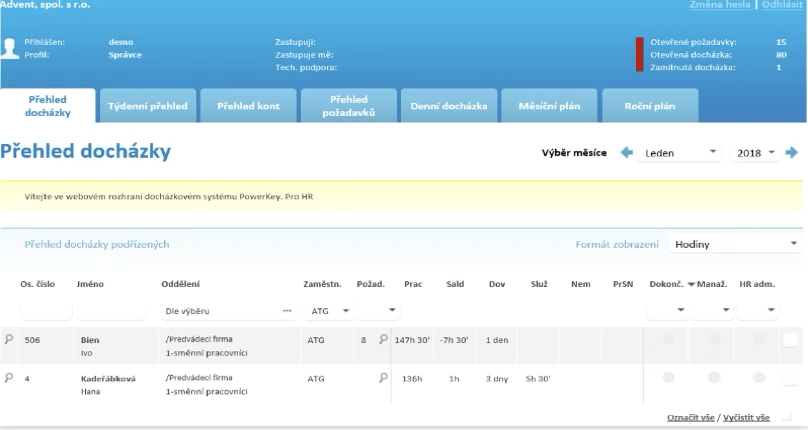
- The full web interface is a PowerKey module for managers, allowing them to review, correct, and approve their subordinates' attendance.
- It allows for attendance planning, entering absences, and approving requests via email, with integration with Microsoft Outlook.
- It also automatically includes a personal web interface for employees.
- Independent of the operating system, browser, and application installation on each computer.
- Intuitive interface with the option to add help and video tutorials, eliminating the need to train new managers.
- Security via Active Directory authentication instead of username and password login.
- Multilingual support (Czech, English, Slovak; additional languages can be added).
Main Features:
- Display employee attendance on a daily, weekly, or monthly basis.
- Managing overtime hours, scheduling, and annual leave entitlements.
- Multi-level filtering by individual columns.
- Processing and verification of absence requests in the Monthly or Annual Schedule.
- Automatic checking for conflicts and entitlements.
Additional features:
- Printing employee timesheets directly from the web interface.
- Expansion to include a web terminal for remote work locations or as a replacement for a hardware terminal.
- Option to add a module for business trip management, shift approval, or customized solutions.
Planning Basics
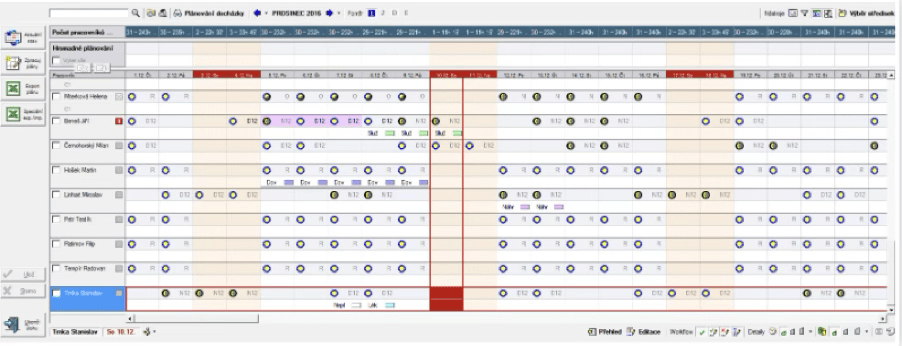
- The scheduling module is used to plan attendance-related statuses and convert them to actual statuses during attendance processing.
- The graphical interface provides an overview of scheduled shifts and absences.
- You can view the scheduled shift and the type of absence (vacation, sick leave, doctor’s appointment, etc.) for each day.
Main Features:
- Shift scheduling, including compliance with legally required breaks.
- Selection of reasons for absence (full day, half day, specific time).
- Planning business trips, training, and other work-related activities.
- Planning on-call duty and recording it in attendance records.
Labor Code compliance:
- Alerts regarding exceeding safety breaks between shifts and during the week when planning irregular work schedules.
- Ability to schedule on-call duty in accordance with Section 96 of the Labor Code (including start and end times).
Advanced Planning
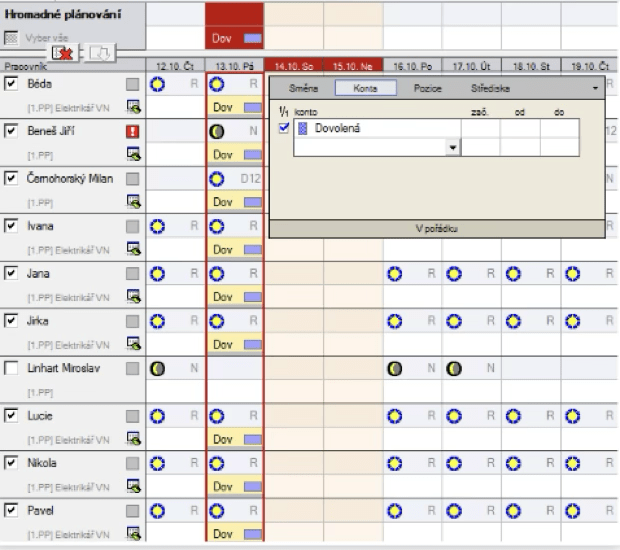
The Basic Planning Module Extension allows you to:
- Schedule shift start and end times with automatic calculation of total working hours.
- Entering overtime before or after a shift, or as a time range for off-shift work (scheduled, but must actually occur).
- Bulk scheduling for multiple employees at once (shift changes, overtime, absences), with changes recorded individually for each employee.
- Planning of job positions across shifts, including checking coverage by key employees and calculating premium pay accounts.
- Allocation of labor costs across multiple cost centers, with support for exporting data to payroll or production systems.
Planning Request Management
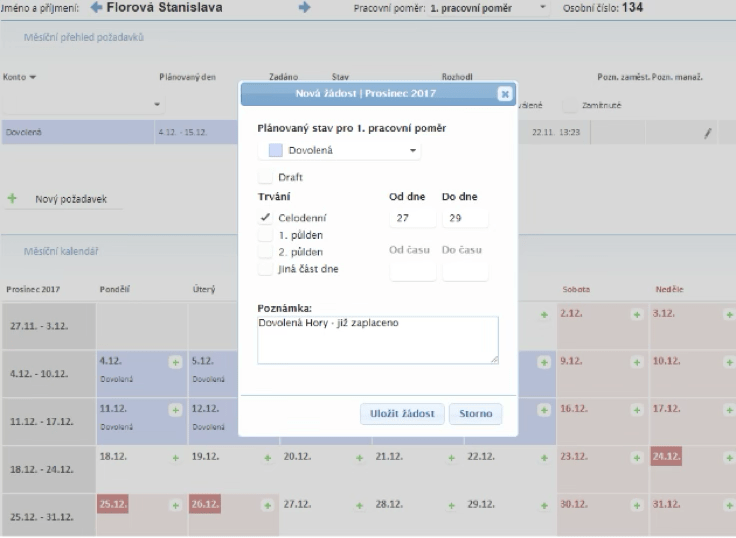
- The Planning Requests module allows you to submit requests for absences (vacation, sick leave, medical leave), shifts, overtime, positions, and cost centers.
-
- Employees can submit requests:
- Via the web interface (logging in with a personal ID number, password, Active Directory, or identification token).
- Using the information kiosk module (login via identification medium).
- Requests are approved by a manager or an authorized person.
-
-
- Email notification:
- The request is automatically forwarded to the supervisor, who receives an email with a direct link to process the request via the web interface.
- The employee is notified of changes in the status of their requests via email
.
-
Information Kiosk
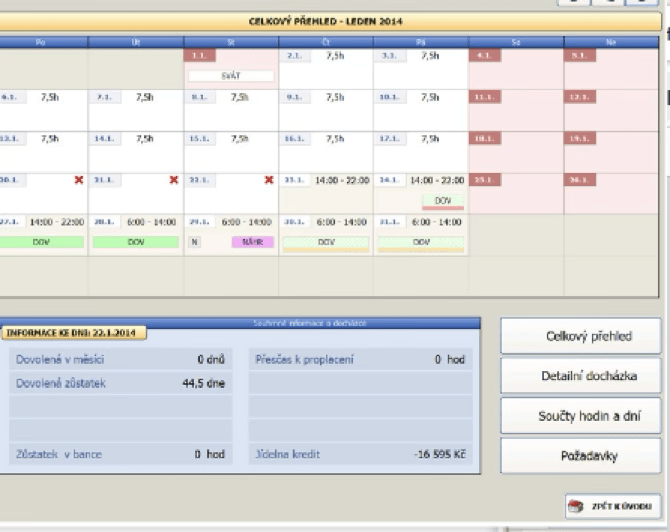
- The self-service kiosk expands PowerKey by providing employees with interactive access to various types of information, thereby speeding up and improving the accuracy of the information flow.
Key Benefits:
- Easy access to the PowerKey system for employees.
- Time savings for managers.
- Option for modular expansion with customized solutions.
- User-friendly touchscreen interface.
Key Features:
- Displays an image/logo or intranet page when not logged in; displays a different image or page after logging in.
- Login via RFID card, Dallas chip, or biometric sensor.
- Displays the name, employee ID, and photo of the logged-in employee.
- Automatic logout after a certain period of inactivity.
- Option to access certain modules without logging in (e.g., meal plan).
Attendance overview:
- Display of current data and full history.
- Summary view of up to ten values (e.g., vacation balance, overtime, meal credit).
- Quick monthly overview in the calendar (hours worked, absences, errors).
- Detailed view of attendance on a daily basis (arrival times, departure times, premium pay).
- Annual attendance overview (entitlements, usage, balance).
Meal ordering:
- Ability to order meals several days in advance with the option to cancel.
- Check account balance and credit.
- Returning ordered meals to the pool.
- Option to add a thermal printer for printing meal tickets.
Attendance Planning:
- Overview of scheduled events in a monthly calendar.
- Display of approval status for events that must go through a workflow.
- Option to schedule short-term, half-day, full-day, and multi-day events.
- View and check account balances when scheduling.
- Ability to enter a text message to a supervisor for requests requiring approval.